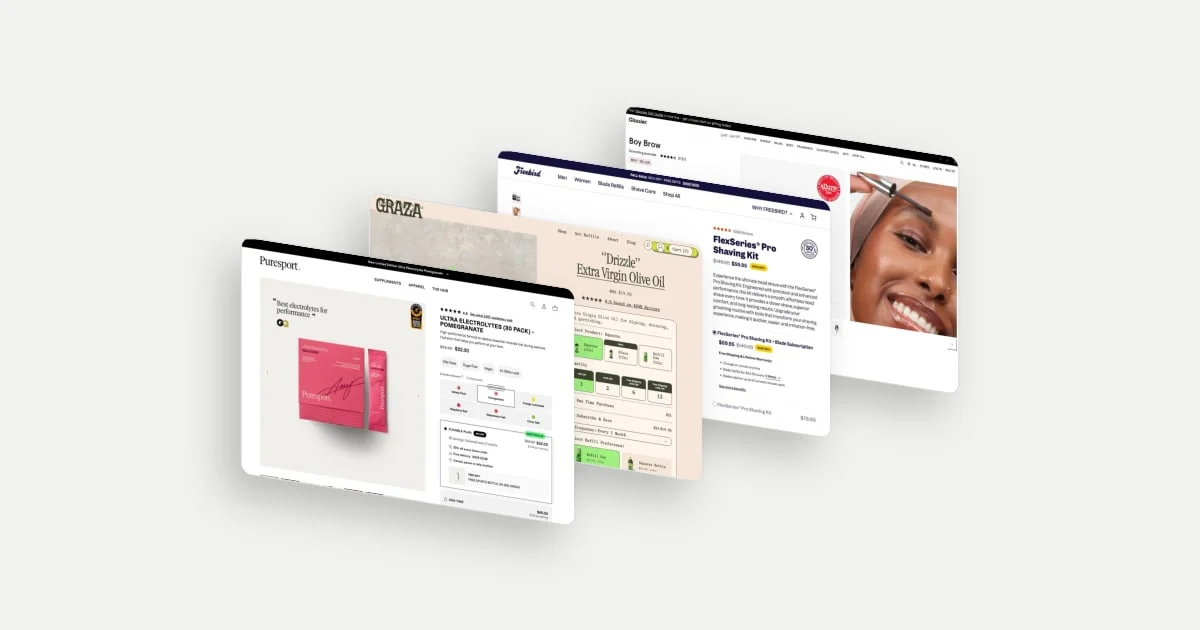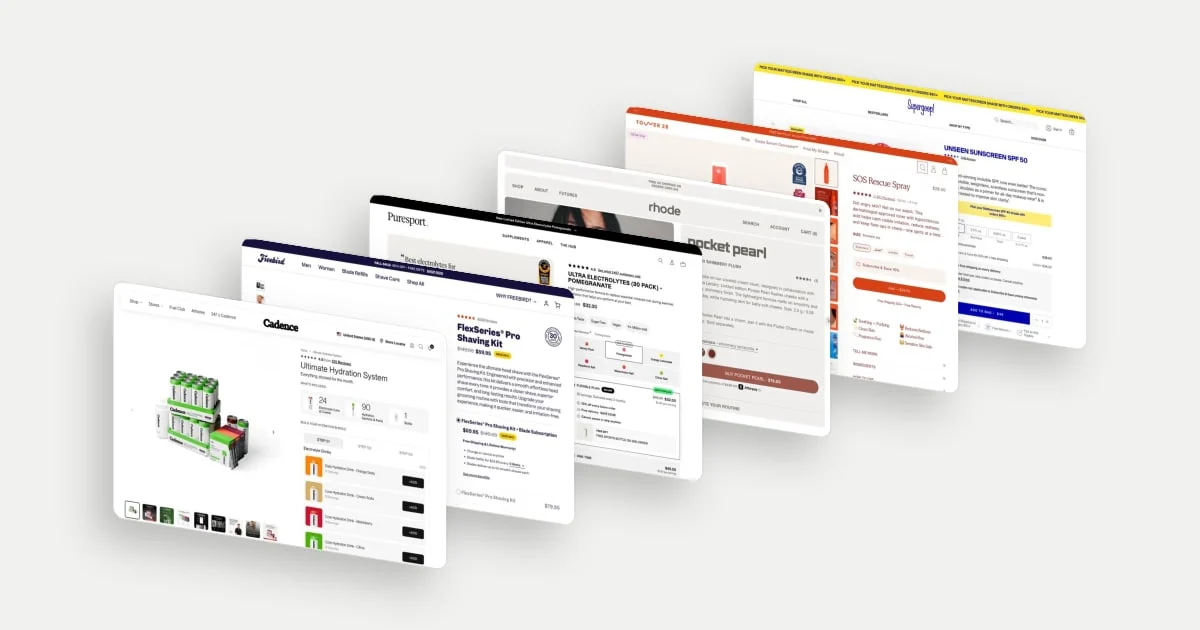
A good product detail page (PDP) makes a purchase easier to understand. The hard part changes with the product: choosing a shade, assembling a bundle, judging a claim or deciding whether a subscription fits.
These 15 ecommerce product page design examples were selected for the different decisions they make visible. “Best” means useful editorial examples, not a ranking by conversion rate. The screenshots record desktop states captured in September and October 2026; prices and offers may have changed. Our analysis explains plausible purposes, not measured results or confirmed brand intentions.
Start with the decision the page needs to resolve
- Choosing the right version: rhode, Supergoop, Native and Glossier make colour, size or sensory differences part of the purchase decision.
- Understanding the commitment: Freebird, Puresport and Topicals bring recurring purchasing into the buy area.
- Building a larger order: Cadence, CURVD and Sol de Janeiro show how a bundle can be configured.
- Judging suitability: Tower 28 and Dieux place specialist information beside shopping controls.
A subscription primarily concerns repeat purchasing; it does not automatically increase average order value (AOV). A bundle may increase the current basket while also increasing discount or fulfilment costs. Read the following examples with those different objectives in mind.
15 product page examples
1. Cadence: make a large bundle feel like a sequence
Cadence calls this an Ultimate Hydration System, then spells out the contents: cans, sachets and a bottle. The buyer sees the scale of the purchase before entering a three-step builder. The visible first step asks them to choose drinks, with a selection counter beside it.
That sequence turns an assortment into smaller decisions. For someone considering several products, the useful question is not simply “What is included?” but “Can I put together the version I actually want?” Each step asks for one kind of decision, and the selection counter shows how far along the shopper is, so a large order stays manageable.
Explore Cadence in the library.
2. Freebird: explain the condition behind the lower price
Freebird places a shaving kit with a blade subscription beside a kit-only option. In the captured offer, the lower upfront price comes with recurring blades; the refill price and six-week interval sit in the same choice area.
This is a decision about ownership cost, not just a discount. Someone comparing the two needs to understand both today’s payment and the ongoing commitment. Placing the refill price and interval beside the lower upfront price lets them weigh both in one place. The surrounding warranty and money-back messaging address two further risks: product support and trying the purchase.
Explore Freebird in the library.
3. Puresport: separate first-order incentives from repeat value
The selected plan on Puresport’s electrolyte page combines an introductory saving, a smaller ongoing saving, delivery timing, flexibility language and a gift on the second order. It gives a prospective subscriber several reasons to consider continuing.
Those reasons answer different questions. The first-order offer lowers the cost of trying; the delivery interval concerns supply; pause, skip and cancellation language concern control. The second-order gift points beyond the first transaction. Setting the introductory saving beside the smaller ongoing saving shows what continuing costs, not only what the first order costs.
Explore Puresport in the library.
4. rhode: connect the shade choice to the buying action
The Pocket Pearl blush page brings shade names, swatches and a shade-coloured purchase button into one compact area. The model image gives the colour a human context, while the copy identifies the miniature product and collaboration.
This brings a beauty-specific decision closer to the action: “Is this the colour I mean to buy?” The shade-coloured button echoes the selection just made, while the shade names beside the swatches give that choice a precise label. The imagery builds desire; the names pin down the exact product.
Explore rhode in the library.
5. Tower 28: match reassurance to the skin concern
Tower 28’s SOS Rescue Spray page places specialist recognition badges beside the product image, with reviews and concern-led copy near the buy box. These are different forms of reassurance: popularity tells a shopper that others bought it, while a relevant seal may address a more specific suitability question.
For someone cautious about a skincare purchase, the distinction matters, and the page offers both kinds of reassurance close to the buy box. The seals shown are brand-presented evidence, not our independent verification of efficacy.
Explore Tower 28 in the library.
6. Supergoop: translate pack sizes into purchase situations
Supergoop labels its sunscreen sizes with cues such as Standard, Best Value and Travel, alongside a two-pack. That gives the quantities a purpose before the shopper starts comparing ounces.
A shopper packing for a trip and someone replenishing an everyday product may need different formats of the same formula. The labels make those situations easier to recognise. The nearby subscription option adds a separate timing decision, so how much to buy now and whether to repeat the purchase appear as distinct choices.
Explore Supergoop in the library.
7. Topicals: make the subscription benefit explicit
Topicals shows a one-time purchase and a subscription option for its Faded pads. In this capture both display the same item price, while the subscription message highlights free shipping.
That makes the proposition different from a conventional percentage discount. The shopper is weighing delivery savings against a recurring commitment. Because the item price matches, naming free shipping gives the subscription a concrete reason to choose it. A complementary product card below the buy area serves another purpose again: expanding a routine, and potentially the current basket.
Explore Topicals in the library.
8. Graza: organise a choice with several dimensions
Graza’s Drizzle page presents packaging formats, quantities and one-time or subscription purchasing. Each dimension answers a different question: which container, how much oil, and whether to replenish automatically.
This is useful when a familiar product can be bought in several ways. A shopper may know they want oil without yet knowing whether a refill format fits their setup or whether a multipack is sensible. The visible groups separate those questions so each can be answered in turn. Quantity savings concern the current basket; subscription savings concern repeat orders, and the panel presents them as separate choices.
Explore Graza in the library.
9. Dieux: give technical claims a place to be examined
Dieux’s serum page combines product imagery, a specialist seal and gallery thumbnails that present results information. Detail accordions sit near the purchasing options, offering another route into the formulation and product explanation.
A technically positioned skincare product creates a demand for evidence as well as a demand for the product itself. This arrangement gives curious shoppers places to investigate without placing every detail in the main purchase area. The results thumbnails offer a quick summary, and the accordions give the fuller explanation to anyone who wants it.
Explore Dieux in the library.
10. Native: help shoppers imagine a scent they cannot sample
Native’s scent choices use named tiles, packaging colours and merchandising labels such as Most Loved. The selected Coconut & Vanilla product image adds familiar ingredient cues to a choice that cannot be experienced directly online.
This makes an intangible attribute easier to picture. Recognition and familiar scent references can narrow the choice, while a popularity label gives undecided shoppers a starting point.
Explore Native in the library.
11. CURVD: preserve personalisation inside a multipack
CURVD offers quantity tiers for its trousers and shows separate colour, size and inseam selectors for the individual pairs in the selected pack. The offer does not require every pair to be identical.
That matters because a larger apparel purchase introduces more than a price question. A buyer may want different colours while keeping the same fit, or may need to check each configuration before committing. Individual controls make that possibility visible, so the pack can hold exactly the pairs the buyer wants.
Explore CURVD in the library.
12. Glossier: show both the product and its use
Glossier’s Boy Brow page pairs the applicator and packaging with a close photograph of the product in use. Named shade options sit beside the purchase area, along with a short description of the finish and function.
The two images answer different questions. A pack shot tells the buyer what arrives; an application image helps them imagine what the product does. For a cosmetic, both can matter more than an elaborate specification list. With named shades beside the purchase area, the page covers what arrives, how it is used and which version to pick.
Explore Glossier in the library.
13. Sol de Janeiro: show the rules of a build-your-own offer
The candle bundle asks shoppers to choose three, shows a 0/3 selection count and places quantity controls beside the individual options. The purchase control refers to the required selection and the bundle price.
That visible progress gives the offer a boundary. The shopper can see how much choice is available and what completion means, rather than discovering a minimum only at checkout. Because each candle is picked individually, the three can reflect variety or a gift rather than a fixed set.
Explore Sol de Janeiro in the library.
14. MOSH: offer a way to resolve flavour uncertainty
MOSH separates single-flavour and variety-pack choices and illustrates them with recognisable pack tiles. Its subscription explanation also mentions changing, pausing or cancelling future orders.
The variety option can answer a first-purchase question: “Which flavour will I actually like?” Flexibility addresses a later one: “What happens if my preference or consumption changes?” These ideas complement each other, and the page keeps them apart: the pack tiles handle the assortment, while the subscription explanation covers the commitment.
Explore MOSH in the library.
15. Meji Meji: keep functional choices legible within a strong identity
Meji Meji gives its skirt page a distinctive graphic treatment while keeping the product photograph, size grid and sizing-guide link visible. Some sizes appear visually muted in the captured state.
The interesting decision is the coexistence of brand expression and practical selection. A shopper can enjoy the visual identity and still needs to know which size to order and which options are available. The graphic treatment never hides the size grid or the sizing-guide link. The aesthetic earns its place by keeping the information needed to buy in view.
Explore Meji Meji in the library.
Turn inspiration into a better product page
Begin with one unresolved shopper question. If size is unclear, adding another review badge will not answer it. If recurring cost is unclear, a bigger discount headline may make the confusion worse.
Before adding recommendations, make sure each suggestion includes enough information to judge its suitability. Baymard’s research on product-page suggestions identifies missing product details as a barrier to evaluating those recommendations. Read the research.
For your own page, observe where shoppers hesitate, change selections or ask support for help. Choose a change that addresses that evidence. Track completed purchases as well as selection or add-to-cart behaviour, and include returns, discount cost or subscription retention where relevant. A busier buy box is not a result.
For a deeper explanation of the decision behind these patterns, read What Makes a High-Converting Product Page?.