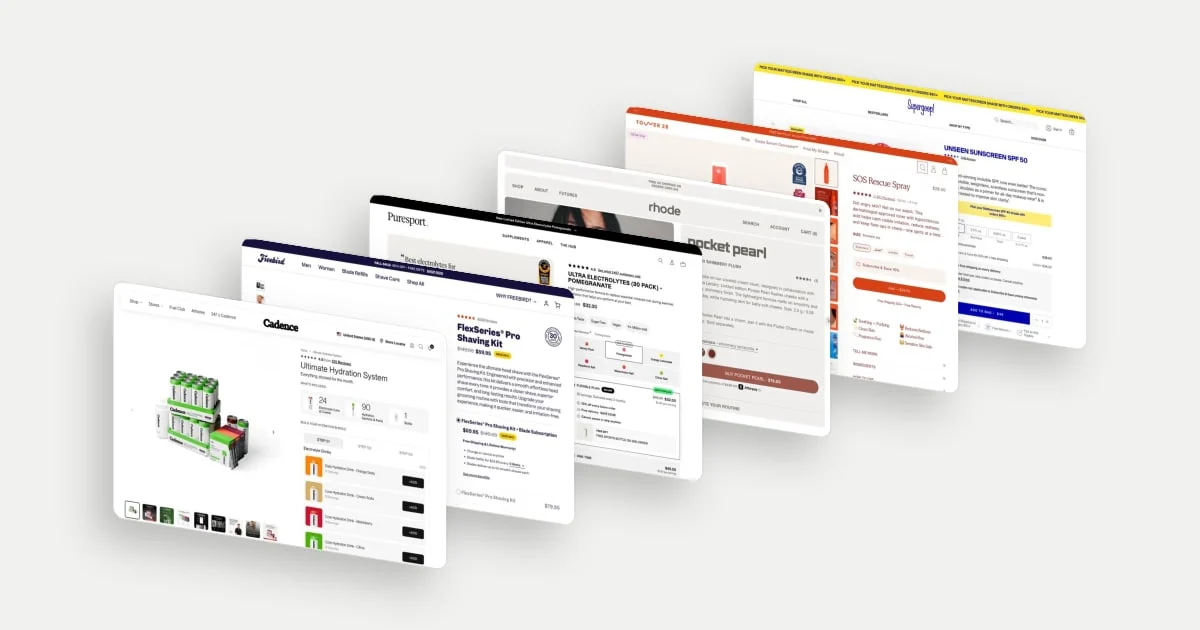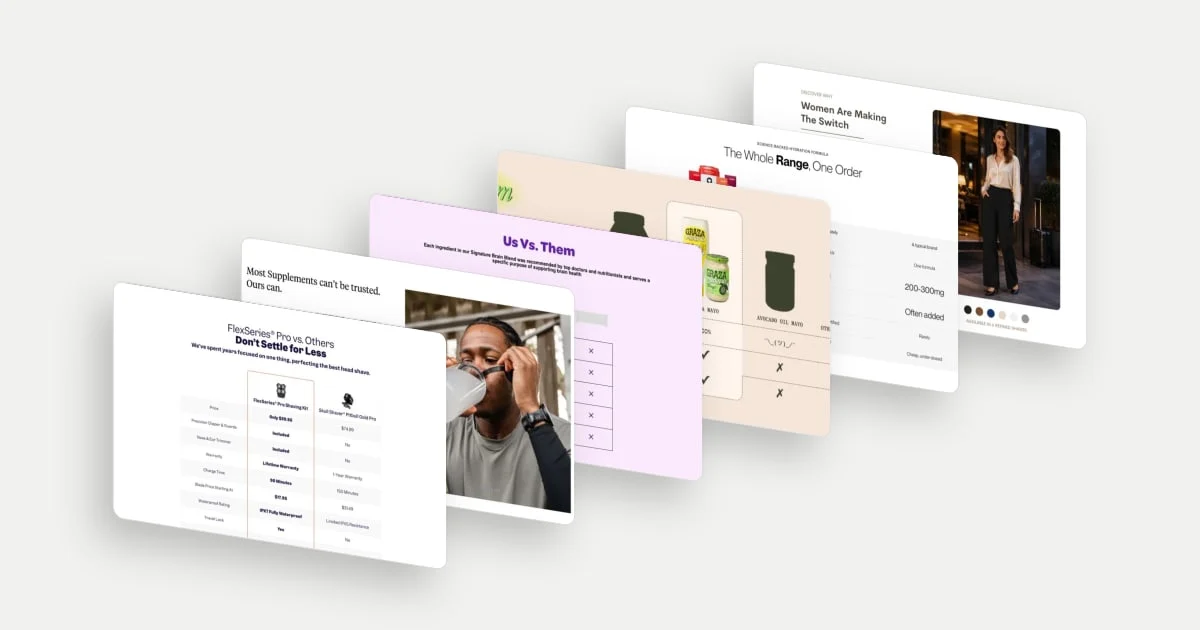
A product comparison table is useful when it helps someone understand a choice they were already trying to make. The important work happens in the row labels and values: what matters, what differs and what the difference means.
These ten ecommerce product comparison table examples show useful approaches across different kinds of choice. They include competitive claims, comparisons within a brand’s range, bundles and subscription tiers. The screenshots record September and October 2026 desktop states. Prices, claims and competitor descriptions are those presented by the brands at capture time; they are not independently verified here.
Start with a real choice
NN/g’s guidance recommends consistent, scannable content built around meaningful attributes. It also cautions against using a table when the products or decision do not benefit from one. A useful comparison reduces the work of weighing alternatives; a decorative grid of wins can simply repeat a sales pitch. Read NN/g’s comparison-table guidance.
Use these examples to distinguish three jobs:
- Choosing within a range: help a shopper recognise the option that fits their needs.
- Comparing an offer: make quantity, cost and commitment comparable.
- Arguing for a brand: explain differences with enough specificity that the claims can be checked.
10 product comparison table examples
1. Freebird: compare the cost of owning the product
Freebird puts a named competing shaver beside its kit and compares price, included accessories, warranty, charging and blade cost. The outlined brand column makes the preferred option easy to spot, and the standout idea is the scope of the comparison: it reaches beyond the device’s initial price.
A buyer choosing a shaver also faces replacement and accessory costs. Bringing those factors together into one view makes the decision more concrete.
Explore Freebird in the library.
2. Puresport: make the credibility criteria understandable
Puresport’s comparison leads with trust and uses rows about sport testing, formulation and manufacture. Filled, half-filled and empty circles contrast its offer with a general “Others” column.
The row selection shows which questions the brand wants the shopper to prioritise. For someone concerned about sports testing, that puts a relevant dimension at the top of the table, and the filled, half-filled and empty circles make the contrast quick to read.
Explore Puresport in the library.
3. MOSH: keep a short table specific enough to be useful
MOSH uses a compact five-row table to contrast its bar with an unbranded alternative. The rows focus on its ingredient proposition and a fibre figure, with checks on one side and crosses on the other.
The brevity makes the argument easy to take in. Five rows keep attention on the ingredient proposition and a single fibre figure, so the brand’s positioning lands at a glance.
Explore MOSH in the library.
4. Graza: carry brand personality into a comparison
Graza’s mayonnaise comparison mixes product imagery, a highlighted brand column and playful language across alternative types of mayo. The table carries the brand’s tone into a piece of decision content.
That makes a functional section feel consistent with the rest of the site. The bottle silhouettes and playful language make the table memorable while it sets the brand against recognisable alternative types of mayo.
Explore Graza in the library.
5. Cadence: explain a bundle against buying separately
Cadence compares a complete range order with buying items separately and with a typical alternative. The first distinction addresses a concrete question: why choose the assortment rather than assemble individual purchases?
That is more useful than adding another saving badge because it explains the scope of the offer. The table also sets the range against a typical alternative, so one view addresses both the assortment question and the broader brand question.
Explore Cadence in the library.
6. CURVD: translate specifications into wearing concerns
CURVD compares its trousers with “most pants” using everyday concerns such as comfort, movement, pockets, waistband and care. A model image beside the table puts those criteria back into a wearing context.
The useful move is the vocabulary. The table speaks to what the item may feel like to wear, rather than asking a shopper to infer comfort from a fabric specification alone.
Explore CURVD in the library.
7. AG1: make differences within a range visible
AG1 compares its own products by format, serving size, ingredient-related attributes and monthly price. Because the options share a supplier, the table can help a visitor choose within the range rather than decide whether to trust a competitor comparison.
The table puts the important question in view: which differences justify choosing one version over another. Monthly prices and price per serving sit alongside format and serving size, so cost and use can be weighed together.
Explore AG1 in the library.
8. Supergoop: compare the experience shoppers are selecting
Supergoop’s SPF table compares finishes, formula types and brand-stated skin recommendations. Product images and individual shopping links connect the comparison directly to a next step.
The finish row does useful work because shoppers may care whether a product looks matte, luminous or invisible under their routine. Those are meaningful differences between products that can otherwise appear similar. A “You are here” marker shows which product the shopper is viewing, keeping them oriented within the range.
Explore Supergoop in the library.
9. OSEA: help shoppers distinguish neighbouring product types
OSEA places a body serum, balm, oil, lotion and butter together, with rows for finish, scent, benefits and ingredients. These are products a shopper might recognise as different names without knowing how to choose between them.
The table gives those distinctions a shared vocabulary. Finish and scent help a reader imagine the experience, while ingredients provide another layer of detail for shoppers who want it.
Explore OSEA in the library.
10. Grüns: compare the commitment as well as the rewards
Grüns presents two membership tiers with different subscription intervals, savings and access benefits. A gold treatment strongly favours one column, while the rows explain the additional privileges attached to it.
This is a choice about a continuing relationship, not just a product feature set. Grouping the rows by savings, flavours and perks lets a shopper see at a glance what each tier adds, and the different intervals sit right beside those benefits.
Explore Grüns in the library.
A visual alternative: Regirl’s comparison panels
Regirl uses paired hair imagery and slider handles for sheen, styling and heat-resistance claims. This is a visual comparison, not an eleventh table. It communicates an appearance difference that would be awkward to express as a number.
Paired imagery with a handle for each claim gives the shopper a direct side-by-side view of sheen and styling, where words alone would struggle.
Explore Regirl in the library.
A practical brief for your own comparison
Start by writing the exact choice: “Which of our three formulas suits my routine?” is more actionable than “We need a comparison table.” Ask customers what they compare, then gather equivalent, current information for every option.
Choose a small set of criteria that can change the decision. Use the same units, quantities and purchase conditions. If a value is unknown, say so; an empty cell can look like a missing feature. Assign an owner and review date to competitor prices and terms so the content does not quietly become misleading.
NN/g also recommends preserving clear row and product labels and simplifying comparisons for small screens. Test whether a shopper can follow a criterion across the options without losing which product a value belongs to. These desktop examples do not verify the featured stores’ mobile behaviour. See the implementation guidance.
Finally, ask someone to make a choice and explain it. If they can only tell you which column looks promoted, the design has communicated preference without necessarily communicating fit.
For the wider buying context, see 15 ecommerce product page examples.